UI UX
Home exercises with nobody there to correct them
Context
Activate is my final year specialisation project, an application built to assist RSI Type 1 patients with their exercises in real time. It started from watching friends and family go through physiotherapy rather than from a brief.
The project aligns with Goal 3 of the United Nations Sustainable Development Goals, Health and Well-Being.
RSI Type 1 covers the specific named conditions rather than diffuse strain, which is why the screens carry carpal tunnel syndrome, tennis elbow and bursitis rather than one general diagnosis.
Findings
I interviewed people currently in physiotherapy, people who had completed it, and physiotherapists, and read up on the state of physiotherapy in India, the existing apps and available technology, and RSI literature. Here is what I found.
- The WHO recommends one physiotherapist per 10,000 citizens. India has 5,000 qualified ones.
- Patients may be told to follow varied steps for the same exercise.
- RSI Type 1 is increasingly prevalent among people with desk jobs, with a rise of 30 to 40% observed in Bengaluru.
- Exercising at home lacks guidance, leading to potential errors and an increase in pain.
- Patients forget steps, perform with the wrong posture, and most of them fail to complete their treatment.
Explorations and decisions
Few options were compared before anything was designed.
Video calls Rejected
A physiotherapist watches remotely and corrects in the moment.
Dropped because it does not remove the constraint. Physiotherapists are already balancing clinic patients against online ones, so availability stays limited, and the cost rises precisely because a person has to be present for it to work at all.

Recorded exercises Rejected
Film the correct movement once and let patients follow along.
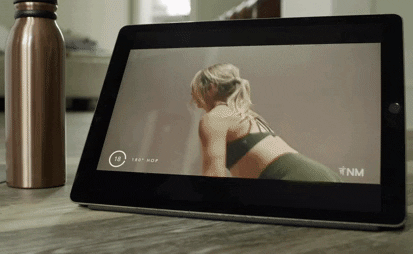
Dropped because a recording cannot see the patient. Each condition has a standard set, but the steps get modified according to how severe the case is, so a generic video is wrong for most of the people watching it. The posture risk stays, and the patient still gets no signal about whether they are doing it right.
Computer vision
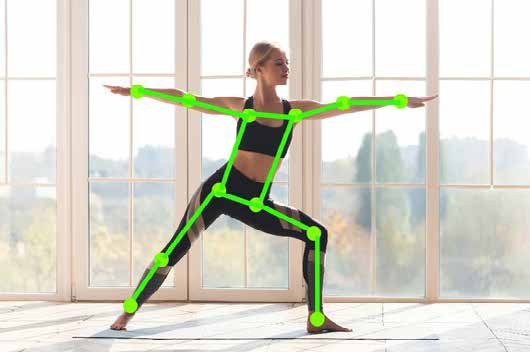
Detect the patient’s own hand and body points, and judge the movement against a reference.
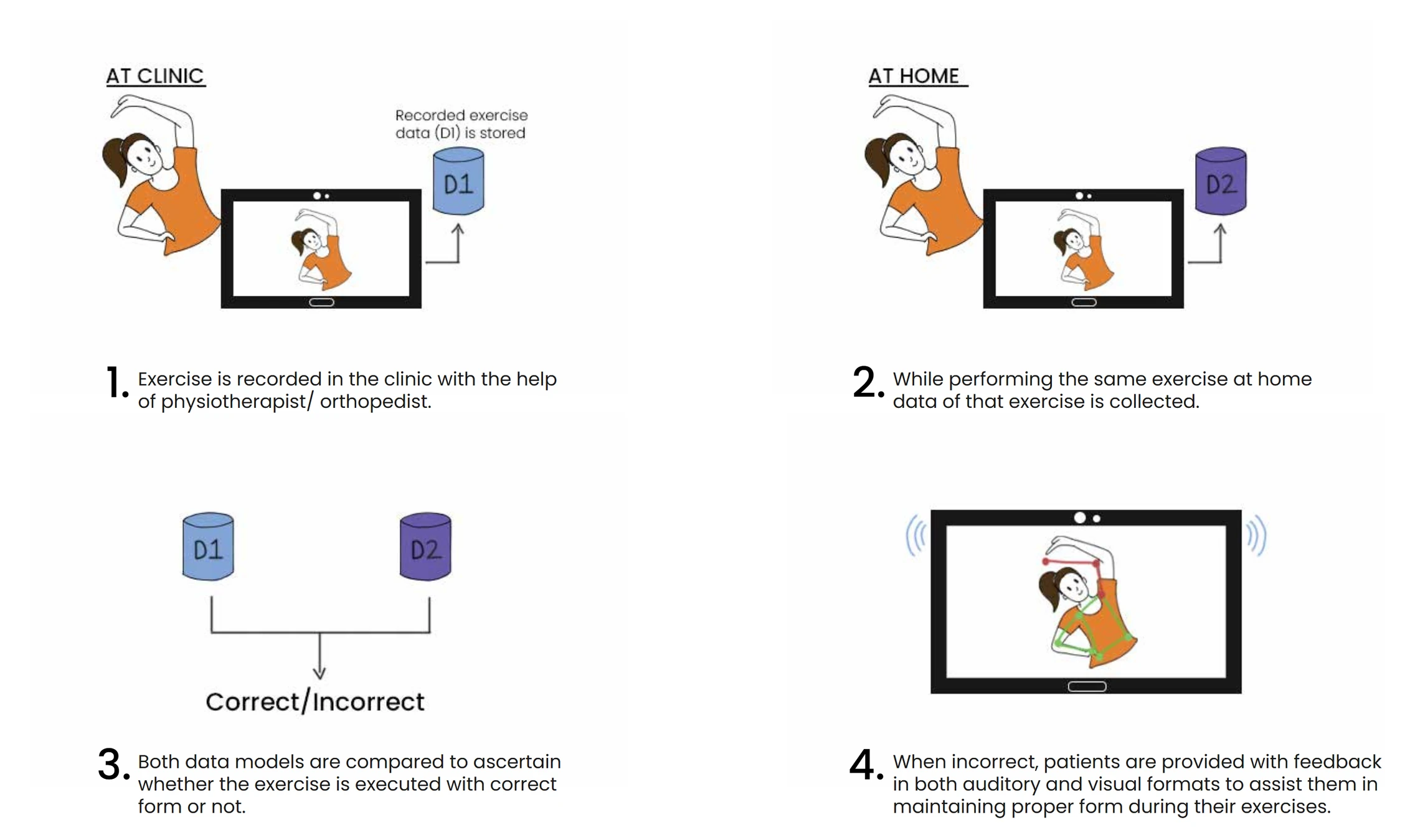
This was the option taken. Open source pose libraries already handle the detection part, so the actual work was the judgement part. That meant extending detection into a decision about whether the movement is correct, and telling the user while they are still doing it.
Idea
Using open source libraries like MediaPipe to detect hand points and body points, and extending the code further to guide patients with their exercises.
Applications for both patient and orthopedist
The patient needs to be told what to do and corrected while doing it. The orthopedist needs to walk into the next appointment already knowing what happened in between. Those are different products, so Activate is two of them, each on desktop and mobile.
The final design
Patient side
Exercise preview
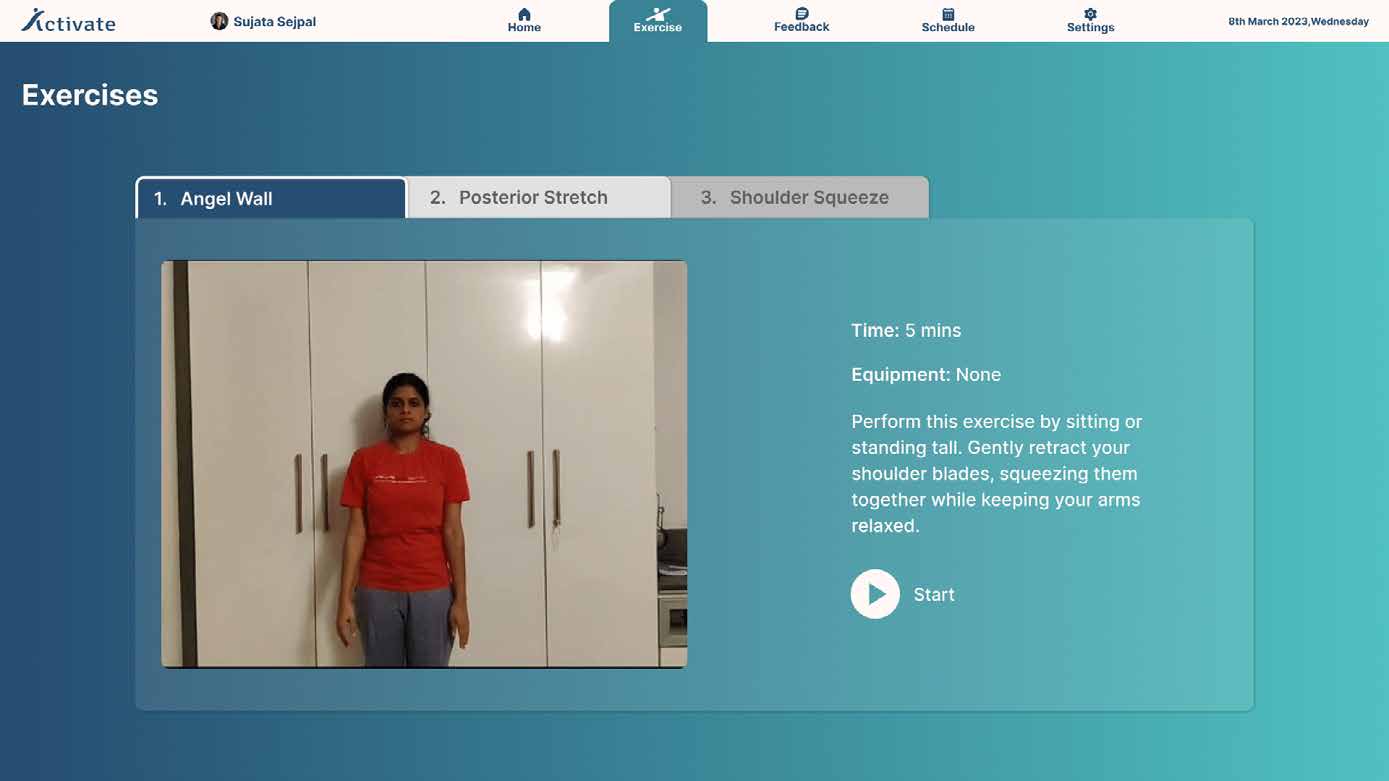
A gif previews the exercise before the patient starts, so they know the shape of the movement before they are being judged on it.
Guided exercise
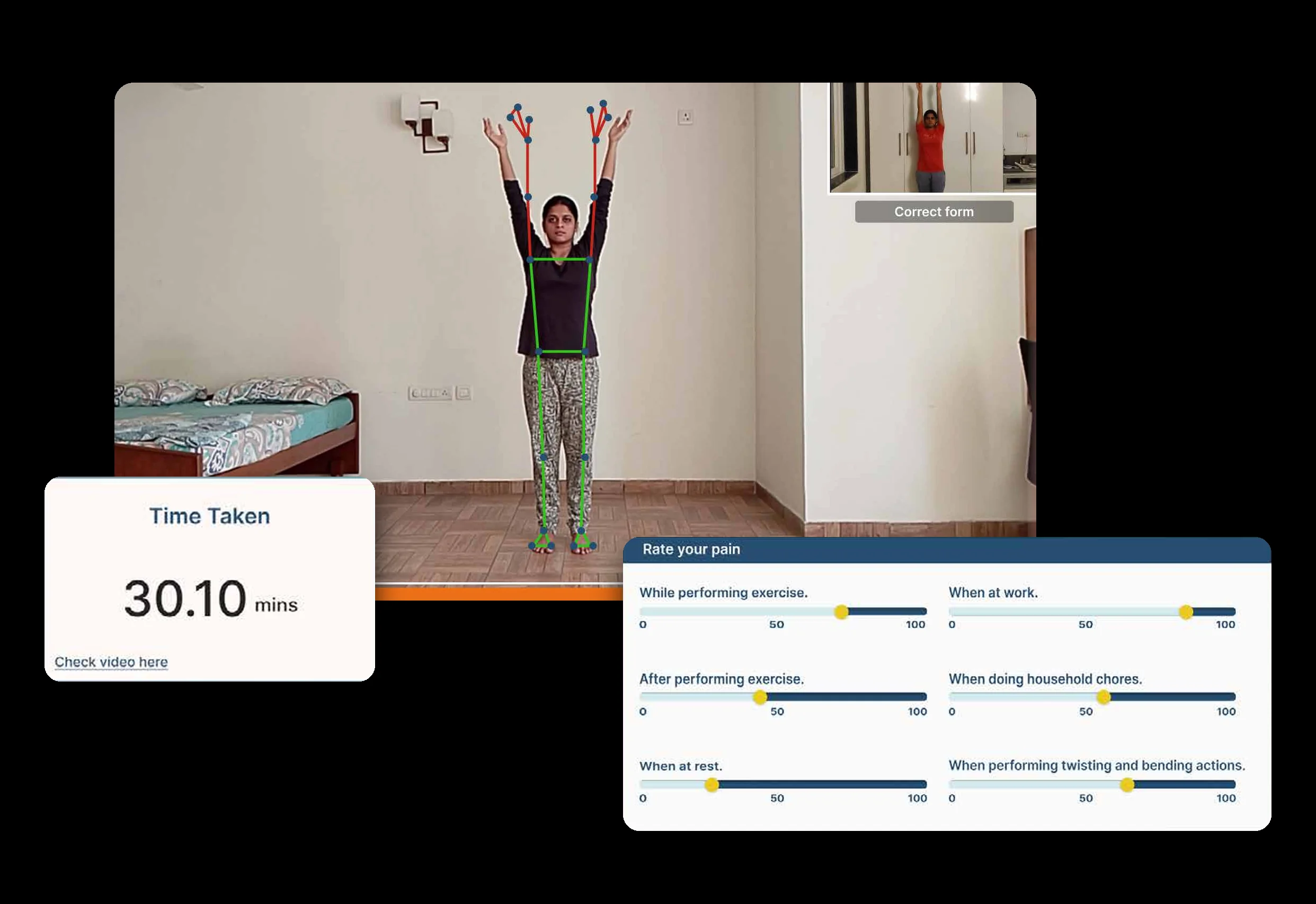
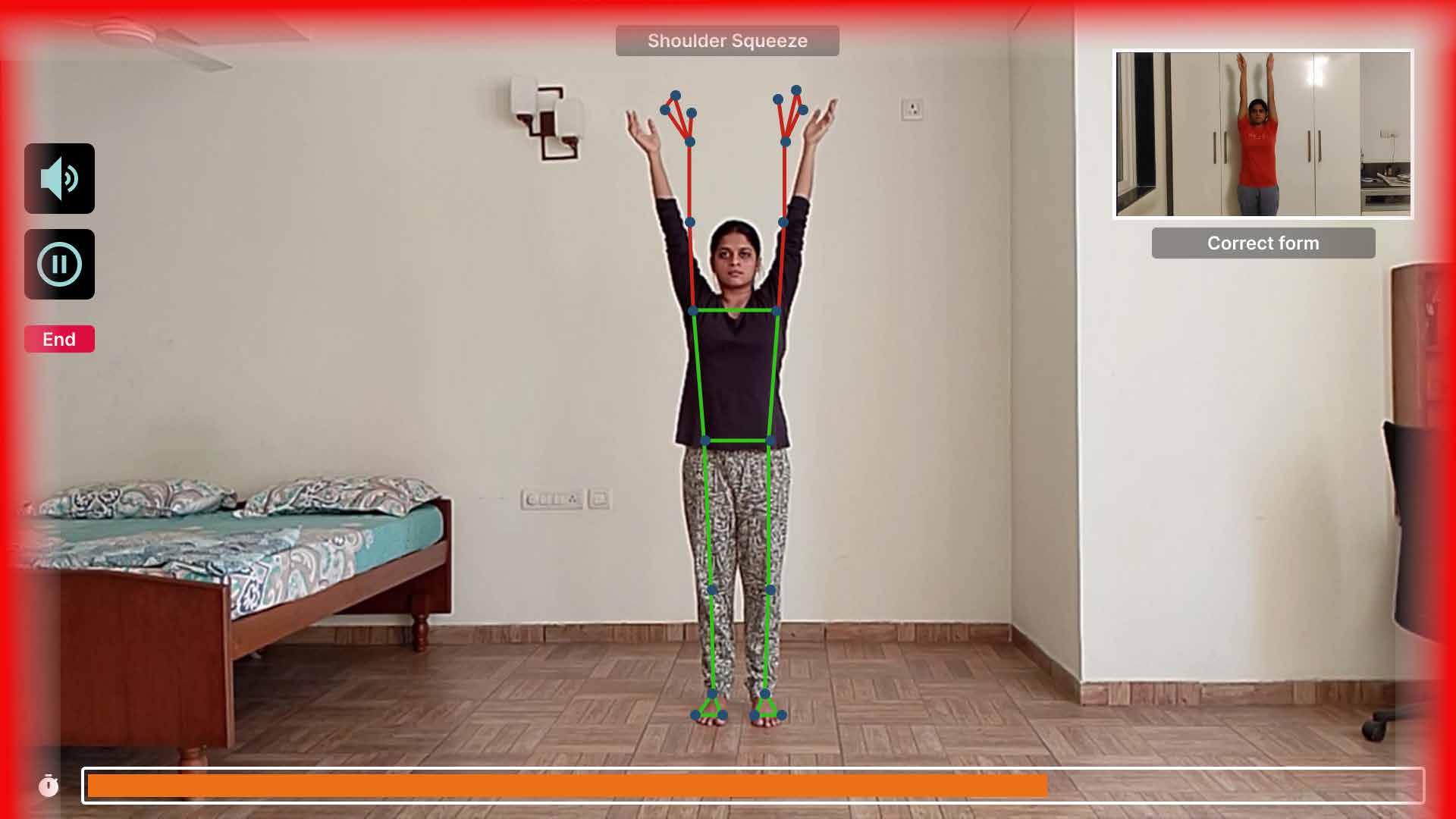
Bad form is detected and called out in both channels at once, audio and visual, with a snippet of the clinic recording playing in the corner to correct against. The audio can be muted.
Get feedback
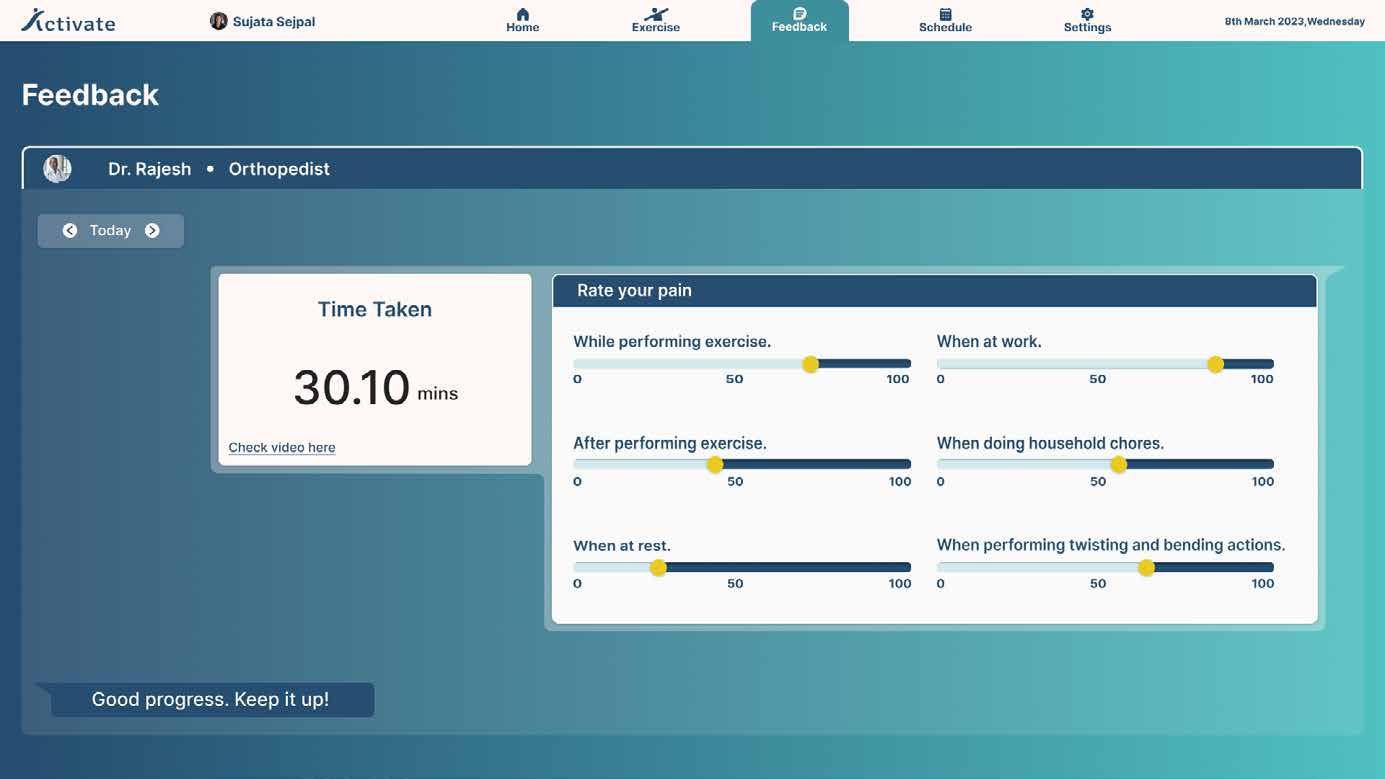
After exercising, patients receive a report on their exercise duration and a feedback form. Both are sent to the orthopedist for review.
Home
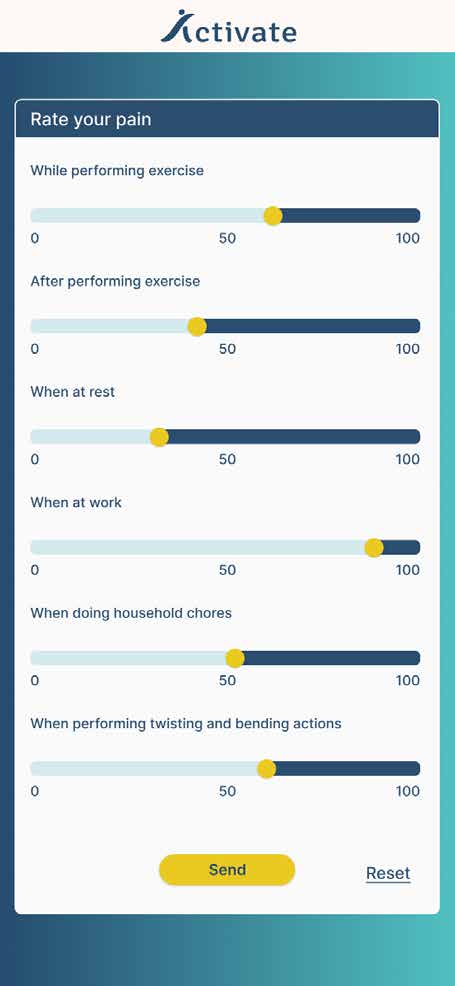
Feedback form
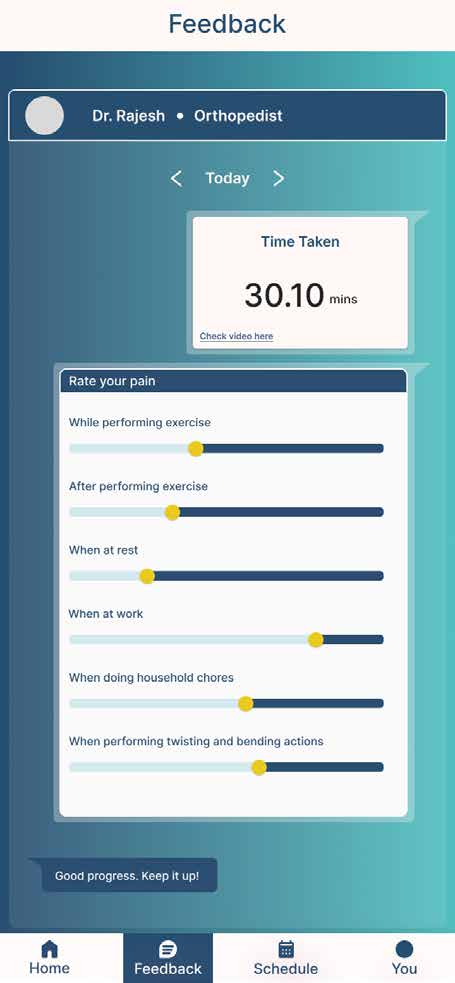
Feedback
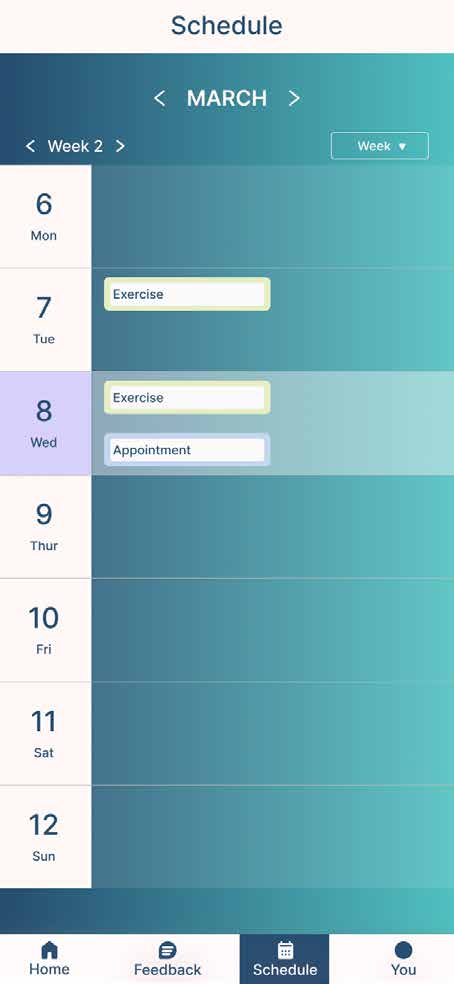
Schedule
Orthopedist side
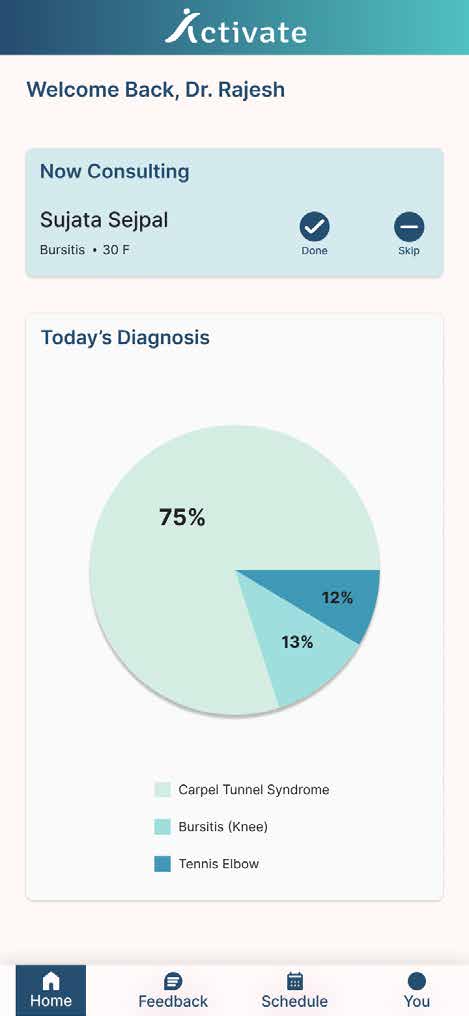
More but less
The home screen shows the working day rather than a set of metrics. It lists appointments in order, who is being consulted now, and how the day’s diagnoses break down. Clicking details opens further patient information, so the list stays readable and the depth is one click away.
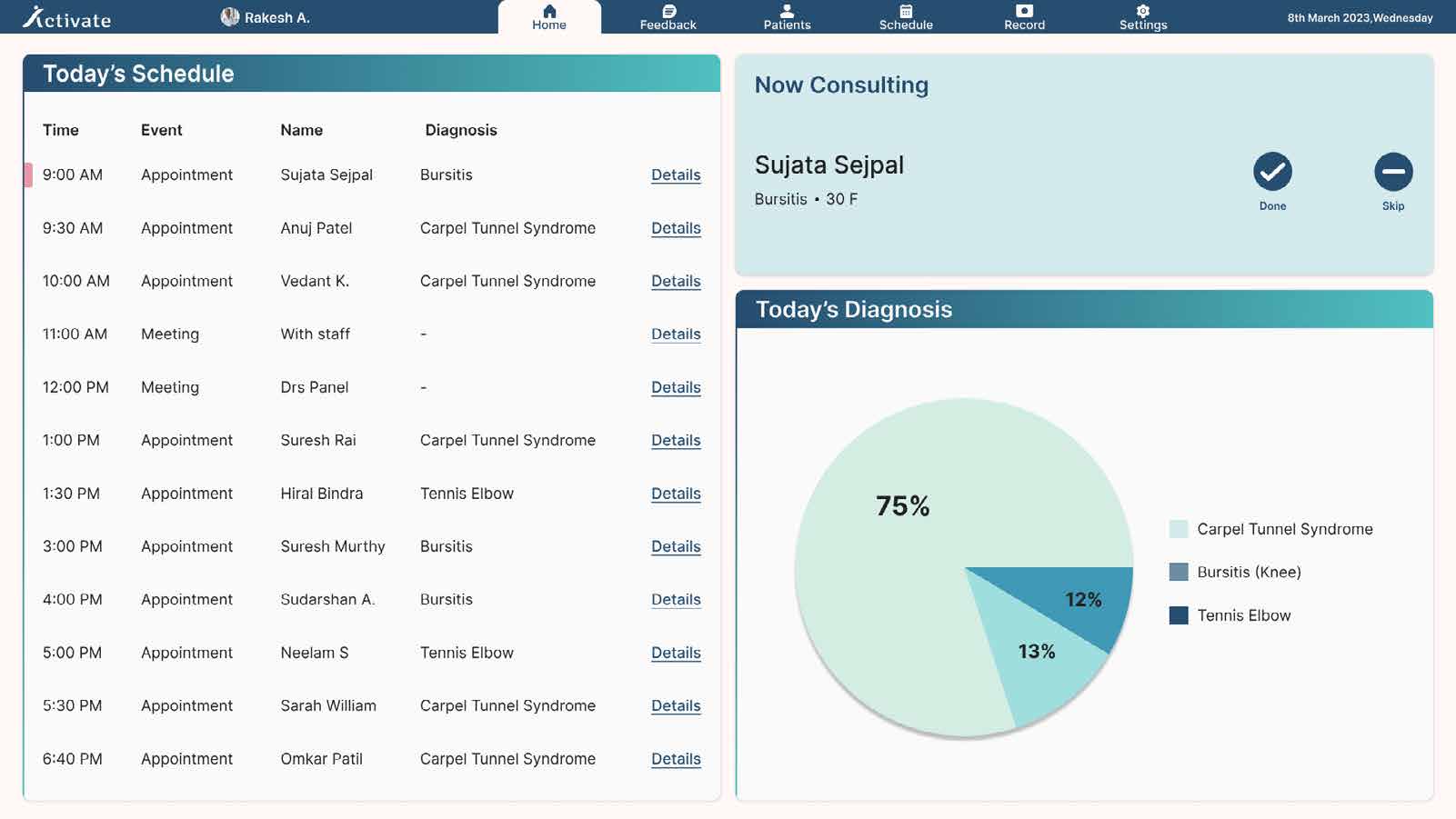
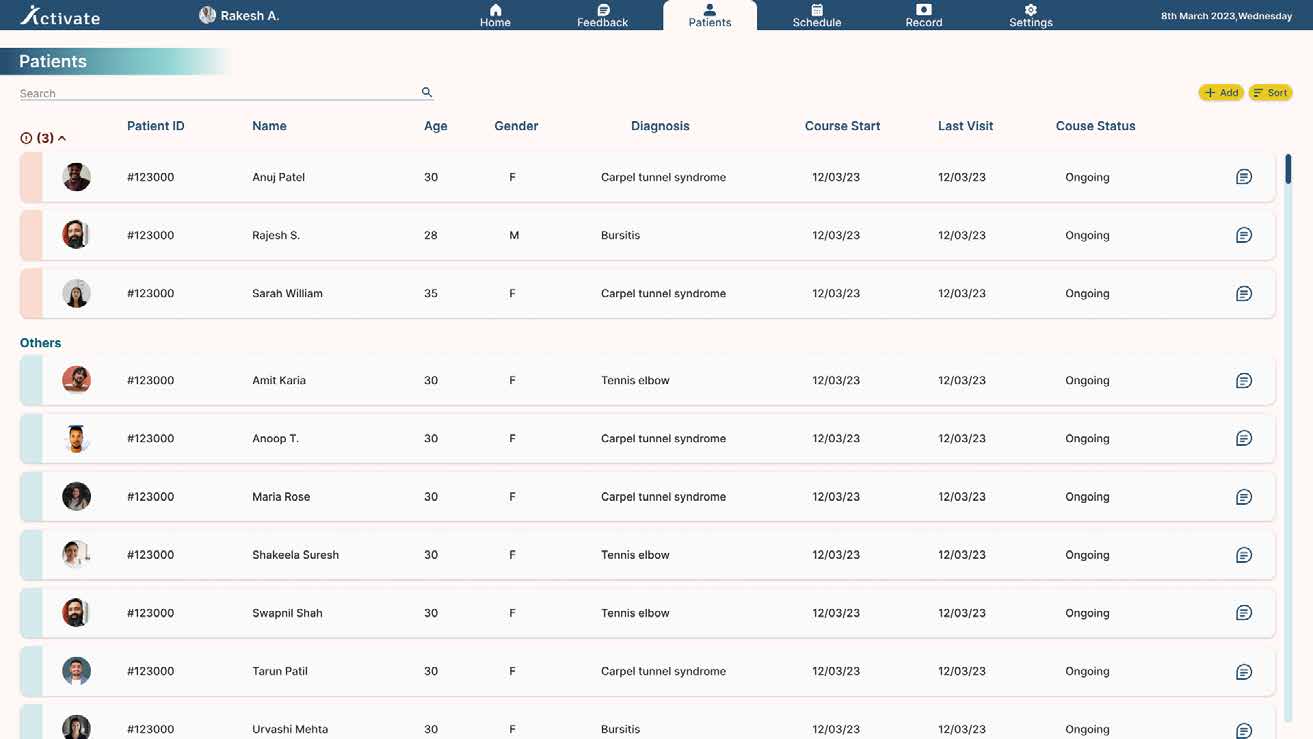
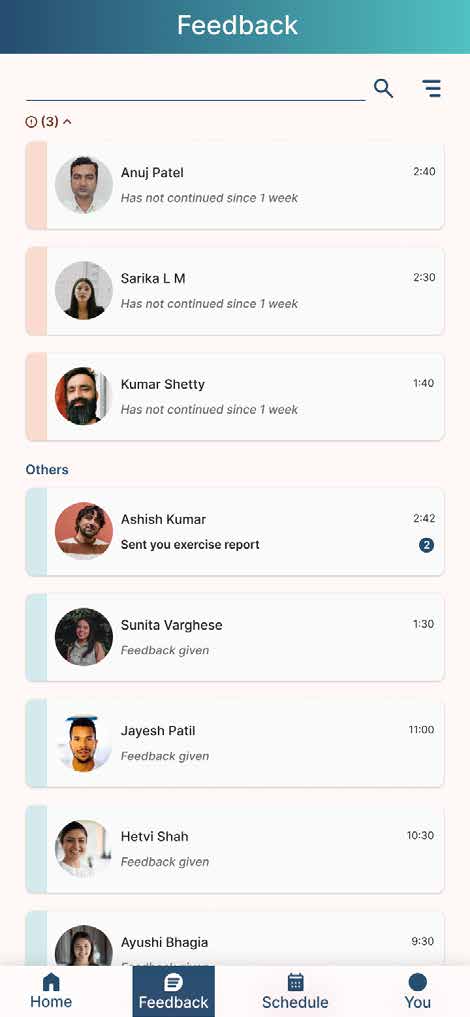
Easy monitoring
Patients who are not doing their exercises are highlighted, so the orthopedist can monitor them better.
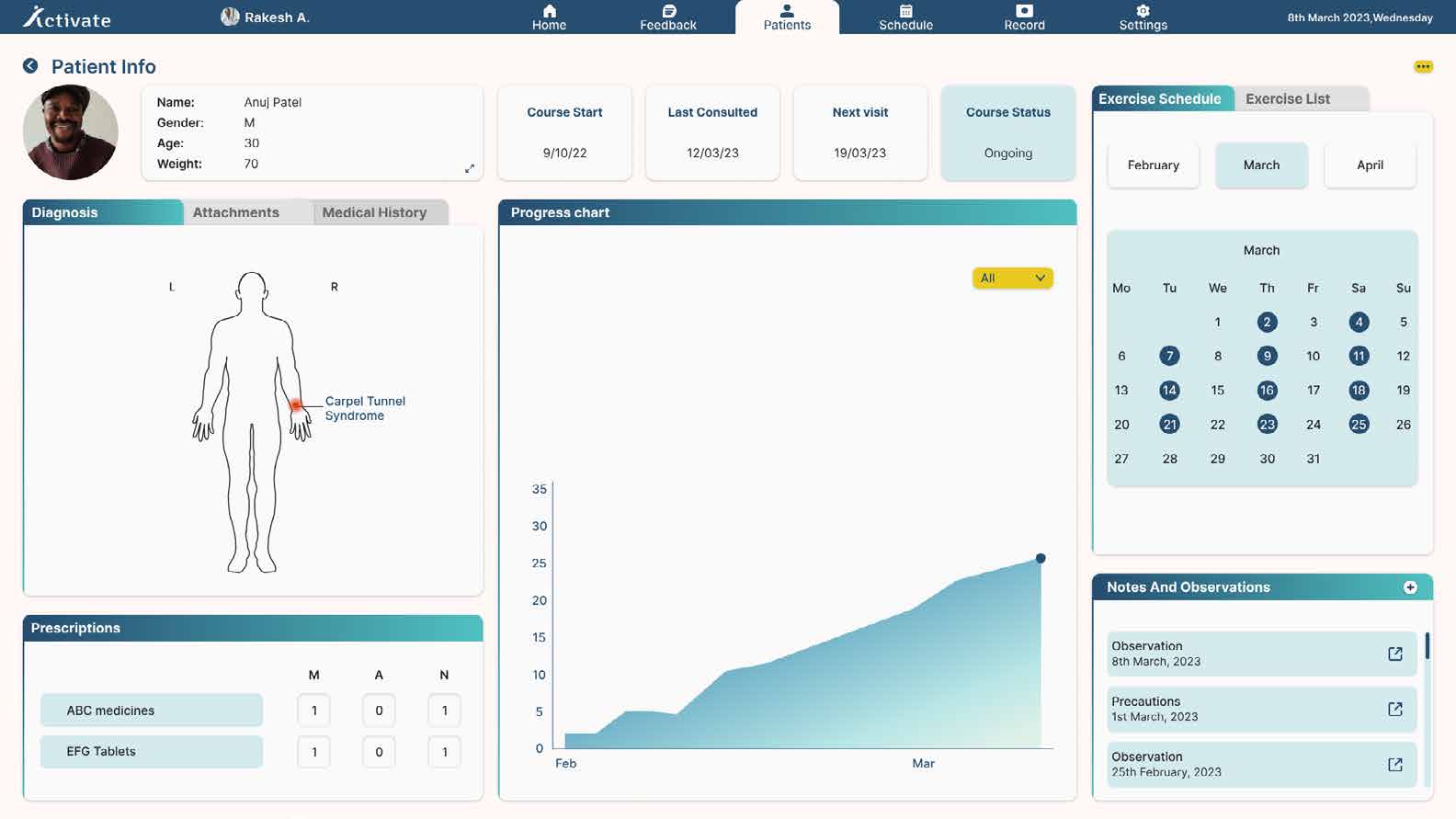
Clear insights
Patient information is presented in a clear and understandable manner. Pain location is marked on a body map, progress is a chart across months, the exercise calendar shows which days were actually done, and observations are kept as a dated log.
Home
Feedback
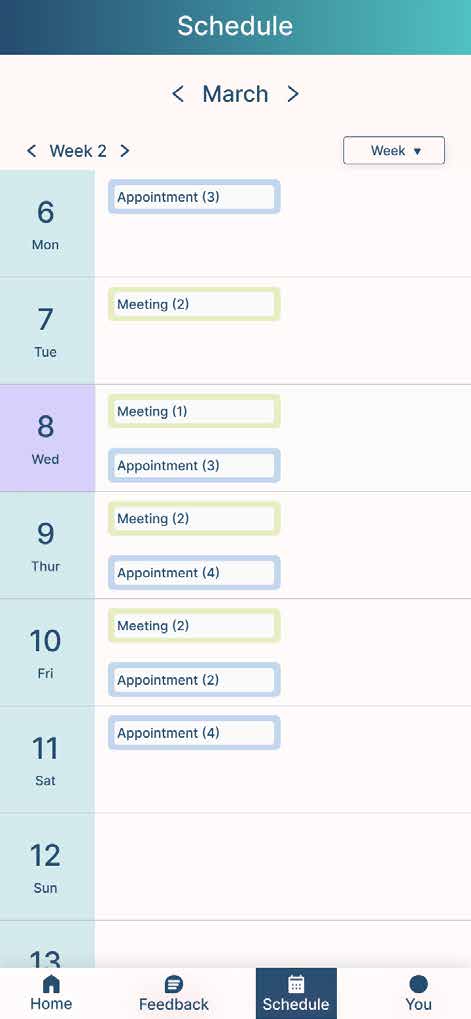
Schedule
Proof of concept
Used MediaPipe and Python to write the code and executed it using Unity and C#. Blue spheres indicate the exercise is performed in right form and red spheres indicate wrong form.
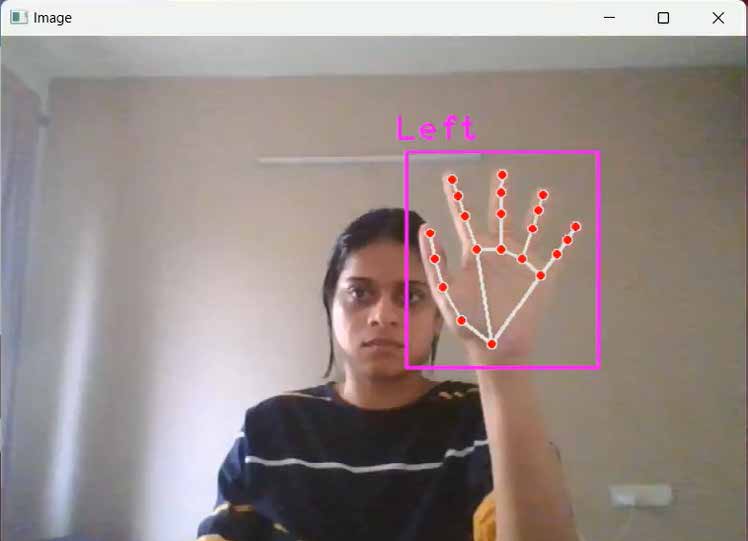
Detecting hand points
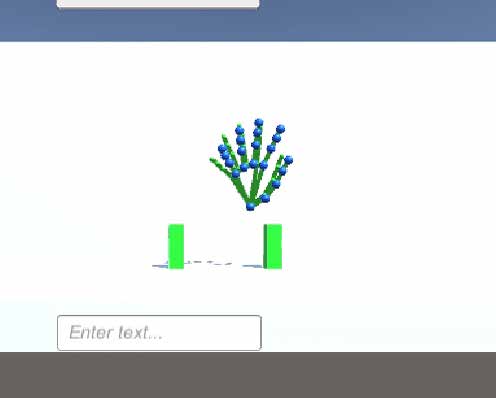
Right form
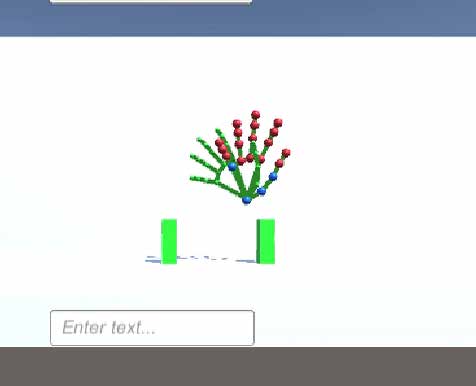
Wrong form
Reflection
Healthcare was new to me, and so were Python and MediaPipe. I learned enough of all three to build the thing rather than describe it.
What I wanted next, written at the time: better accuracy in the posture correction, more areas of physiotherapy than RSI, and using the accumulated data to suggest exercises to physiotherapists rather than only report to them.
It was never tested with patients. Until that happens the design is a proposal.